Your child opens a laptop to finish an assignment. Twenty minutes later, they have watched three videos, replied to messages and forgotten what they were searching for. Sound familiar?
The internet has made knowledge more accessible than ever before. Students can research a topic in seconds, collaborate with classmates, learn a new skill or explore ideas far beyond the classroom.
But easy access also comes with challenges.
For children growing up in a constantly connected world, the real question is no longer whether they should use the internet. It is how they can learn to use it thoughtfully, safely and with purpose.
The Internet Is a Powerful Learning Tool, But It Needs Direction
From educational videos and digital libraries to online simulations and collaborative tools, the internet can significantly expand how students learn. It can encourage independent exploration, give students access to different perspectives and make complex ideas easier to understand.
At the same time, understanding the merits and demerits of internet use is important for both parents and educators.
Research has associated excessive or poorly controlled internet use with difficulties in maintaining attention, organising learning and staying motivated academically.
The goal, therefore, is not to remove technology from a child’s life. It is to help children build the judgement to decide when, why and how to use it.
What Are the Main Disadvantages of the Internet for Students?
1. Distraction Can Easily Replace Learning
One of the most common disadvantages of internet for students is distraction.
A student may begin by searching for information for a school project and quickly move to social media, games, short-form videos or unrelated websites. Notifications make this even harder by repeatedly interrupting concentration.
Over time, constantly switching between tasks can make sustained attention more difficult.
How to manage it
Encourage students to:
- Keep notifications switched off while studying.
- Set a clear purpose before going online.
- Work in focused blocks of time.
- Keep entertainment tabs and apps closed during study.
- Take intentional screen breaks rather than scrolling between tasks.
The objective is to teach students that being online and being productive online are not necessarily the same thing.
2. Students May Become Too Dependent on Instant Answers
The internet is very good at giving answers quickly.
That convenience can become a disadvantage when students begin searching for every answer before attempting to think through a problem themselves.
Overdependence on online information may reduce opportunities for independent reasoning, problem-solving and productive struggle. This concern is also highlighted in discussions around internet use among students.
With generative AI and increasingly sophisticated search tools now part of everyday life, this distinction becomes even more important.
How to manage it
Before searching online, students can ask themselves:
What do I already know?
What can I work out myself?
What exactly do I need help understanding?
The internet then becomes a tool for extending thinking rather than replacing it.
3. Not Everything Online Is Reliable
A search result appearing at the top of a page does not automatically make it accurate.
Students encounter opinions presented as facts, outdated information, misleading headlines, manipulated images and content created without credible evidence.
Without strong digital literacy skills, young learners may struggle to identify trustworthy sources. Misinformation is therefore one of the significant disadvantages of using internet resources without guidance.
How to manage it
Teach children to question information before accepting it:
- Who created this information?
- When was it published?
- What evidence is provided?
- Is the author or organisation credible?
- Can the same information be verified elsewhere?
- Is the content informing me, persuading me or trying to get my attention?
These questions turn internet searches into opportunities to practise critical thinking.
4. Online Safety and Privacy Can Be Overlooked
Children may not always recognise how much personal information they reveal online.
Names, photographs, school information, passwords, locations and other details can unintentionally become part of their digital footprint.
Students may also encounter phishing attempts, suspicious links, strangers online or unsafe websites.
How to manage it
Digital safety conversations should happen regularly, not only after something goes wrong.
Students should understand the importance of:
- Creating strong passwords.
- Keeping personal information private.
- Asking before sharing someone else’s photographs.
- Avoiding suspicious links and downloads.
- Using appropriate privacy settings.
- Speaking to a trusted adult when an online interaction makes them uncomfortable.
Responsible internet use is a skill that develops through repeated guidance.
5. Cyberbullying Can Follow Children Beyond School
Unlike a disagreement that ends when students leave school, an online interaction can continue at any time.
Hurtful messages, exclusion from online groups, embarrassing photographs or unkind comments can quickly spread to a much larger audience.
Cyberbullying and privacy concerns are widely recognised risks associated with children’s internet use.
How to manage it
Children should know that they do not need to handle cyberbullying alone.
They can be encouraged to:
- Avoid responding impulsively.
- Save evidence when necessary.
- Block or report harmful accounts.
- Speak to a parent, teacher or another trusted adult.
- Think carefully before posting or forwarding something about another person.
Just as importantly, students should understand that responsible digital behaviour includes empathy.
6. Excessive Internet Use Can Affect Healthy Routines
The concern is not simply the number of hours spent in front of a screen. It is also what screen time replaces.
Long periods online may reduce the time available for sleep, physical activity, outdoor play, hobbies, reading and face-to-face conversations.
Research has also explored associations between problematic internet use and difficulties related to attention, academic motivation, anxiety and social connection.
How to manage it
Instead of creating only strict screen-time rules, families can establish healthy routines around technology.
For example:
- Keep devices away during meals.
- Avoid recreational screen use close to bedtime.
- Create device-free family time.
- Balance online activities with sport, art, reading and outdoor experiences.
- Encourage children to notice when they are using a device out of habit rather than for a purpose.
7. Copy-Paste Learning Can Replace Original Thinking
Another challenge is how easily information can be copied.
Students may copy sentences, homework solutions or project ideas without fully understanding them. The ease with which online material can be reproduced has long been identified as a concern in student internet use.
Today, this challenge goes beyond plagiarism. Students also need to understand how to use AI-generated and digitally sourced content responsibly.
How to manage it
Shift the focus from finding information to doing something meaningful with it.
Students can be asked to:
- Explain information in their own words.
- Compare several sources.
- Defend an opinion with evidence.
- Apply an idea to a new situation.
- Cite sources appropriately.
- Reflect on how they arrived at an answer.
When students need to analyse and create rather than simply reproduce, technology supports deeper learning.
Understanding the Merits and Demerits of the Internet
It is easy to frame technology as either beneficial or harmful. In reality, the merits and demerits of internet use often depend on how it is used.
The Internet Can Help Students… | But Without Guidance, It Can… |
Access information quickly | Expose them to misinformation |
Explore subjects independently | Encourage dependence on instant answers |
Collaborate with others | Create distractions |
Build digital skills | Introduce privacy and safety risks |
Discover global perspectives | Expose them to inappropriate content |
Learn beyond textbooks | Reduce time for offline experiences |
This is why simply restricting internet access does not fully prepare children for the future.
They need opportunities to use technology, question it and make responsible choices while using it.
What Can Parents Do at Home?
Healthy internet habits are easier to build when expectations are clear and consistent.
Parents can begin by having conversations rather than relying only on restrictions.
Ask children what they enjoy doing online. Explore the websites and apps they regularly use. Talk about advertisements, algorithms, misinformation, privacy and digital footprints in age-appropriate ways.
Most importantly, model the habits you want children to develop.
A family rule about keeping phones away during dinner becomes much more meaningful when everyone follows it.
How Ekya Schools Helps Students Navigate the Digital World
For schools, preparing students for the future cannot mean simply giving them access to technology. Students also need to know how to engage with it responsibly.
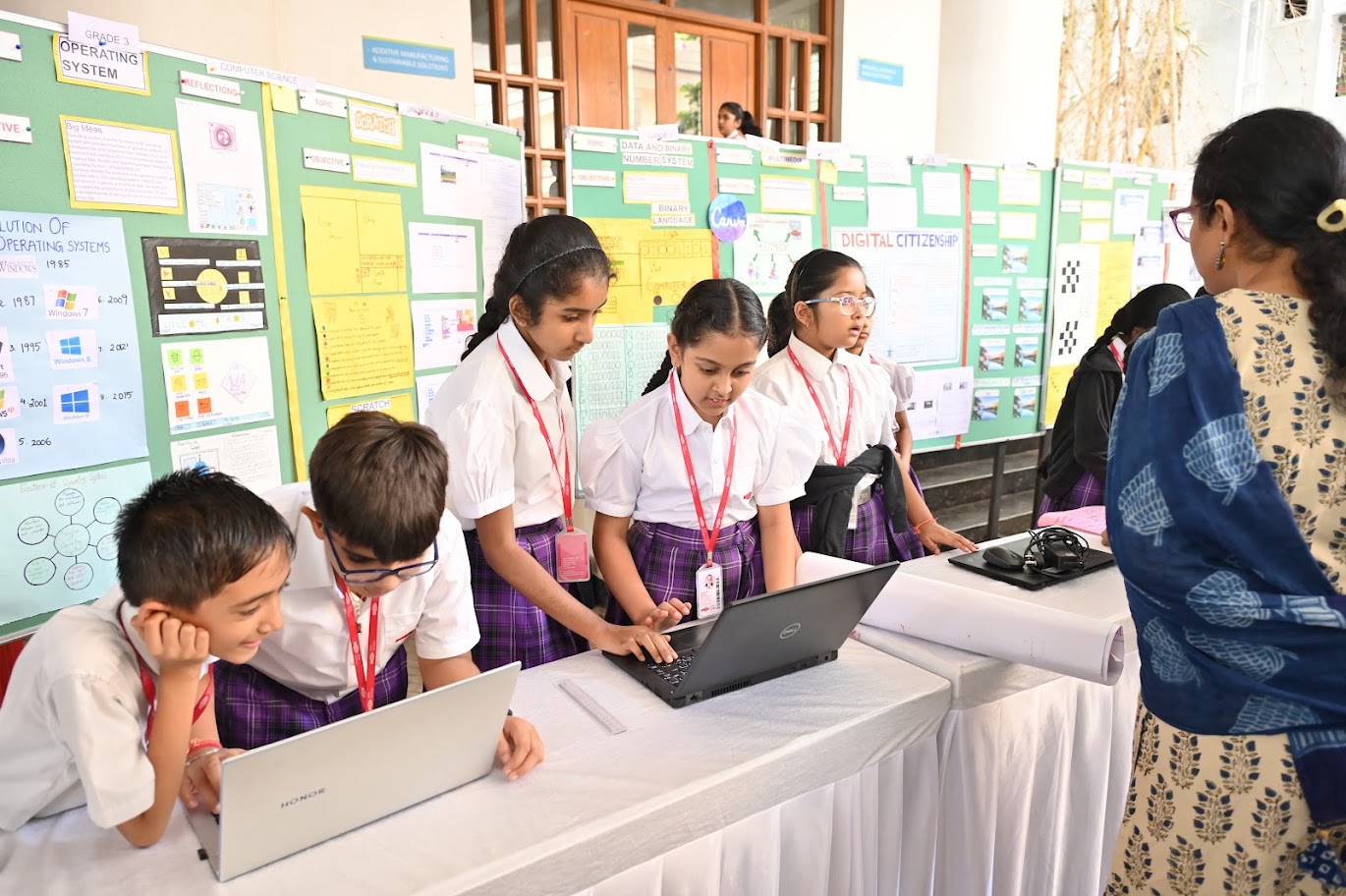
At Ekya Schools, digital citizenship forms part of students’ learning about technology, with emphasis on areas such as digital literacy, online etiquette, privacy, copyright, digital wellbeing and cyber safety. Ekya’s digital citizenship framework also introduces students to areas such as password safety, personal information, permissions, intellectual property and responsible online behaviour.
Internet safety and digital ethics are also addressed as part of student safety conversations at Ekya campuses.
Digital citizenship is reflected within learning too. Ekya’s curriculum materials include concepts such as online responsibility, cybersecurity, Creative Commons licences and responsible technology use alongside computational thinking and problem-solving.
This sits within a broader learning approach that emphasises critical thinking, evidence, inquiry and real-world problem-solving, rather than memorising information alone.
For parents exploring the best schools in Bangalore, this is an important consideration. Preparing children for a digital future is not only about introducing the latest devices or tools. It is about building the judgement to use those tools well.
The Goal Is Not Less Technology. It Is Better Technology Use.
The internet will continue to be part of how children learn, communicate and experience the world.
Trying to protect students by keeping them completely away from it is neither practical nor enough.
Instead, children need to learn when to search, when to question, when to switch off and when to ask for help.
When families and schools work together to build these habits, the internet can move from being a source of distraction to becoming what it has the potential to be: a powerful tool for curiosity, learning and meaningful connection.
And perhaps that is the digital skill students need most: not simply knowing how to use the internet, but knowing how to use it wisely.
Help Your Child Learn, Explore and Grow in a Digital World
At Ekya Schools, learning goes beyond textbooks and technology. We help students build critical thinking, digital responsibility, creativity and problem-solving skills to navigate the world with confidence.
Explore Ekya Schools and discover a learning environment designed for the future.